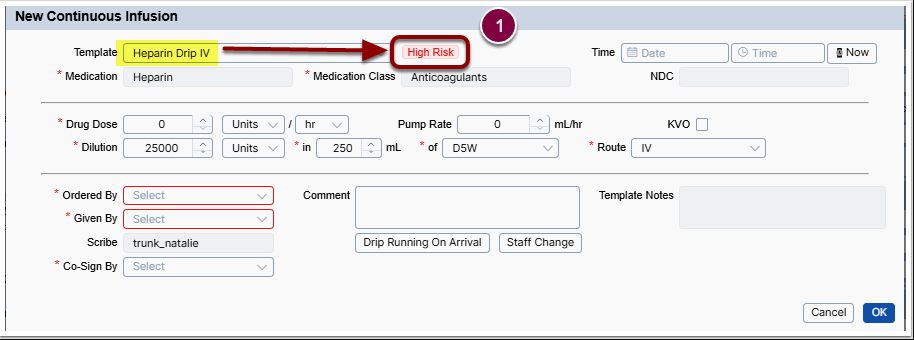
What you will accomplish: You will ensure two signatures are recorded for high risk medication administration.
- Record the administering user's signature (Given By).
- Obtain a designated cosigner's signature (Co-Sign By).
Cosign High-Risk Medication
Identify high-risk medications by the red "High Risk" label in the medication popup.
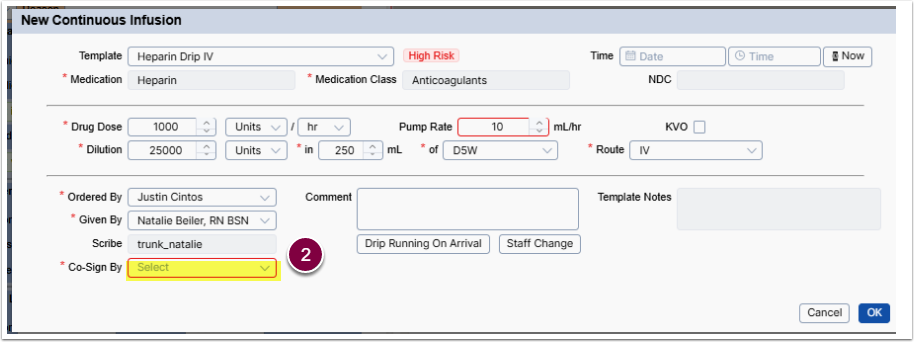
- Check for a required Co-Sign By user beneath the Scribe.
- Select a cosigner from the dropdown list.
- Click OK.
The cosigner list is based on jobs approved by the Clinical Leader.
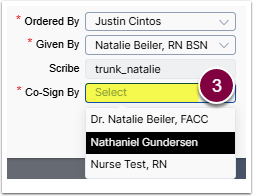

Given By and Co-Sign By must be different users.
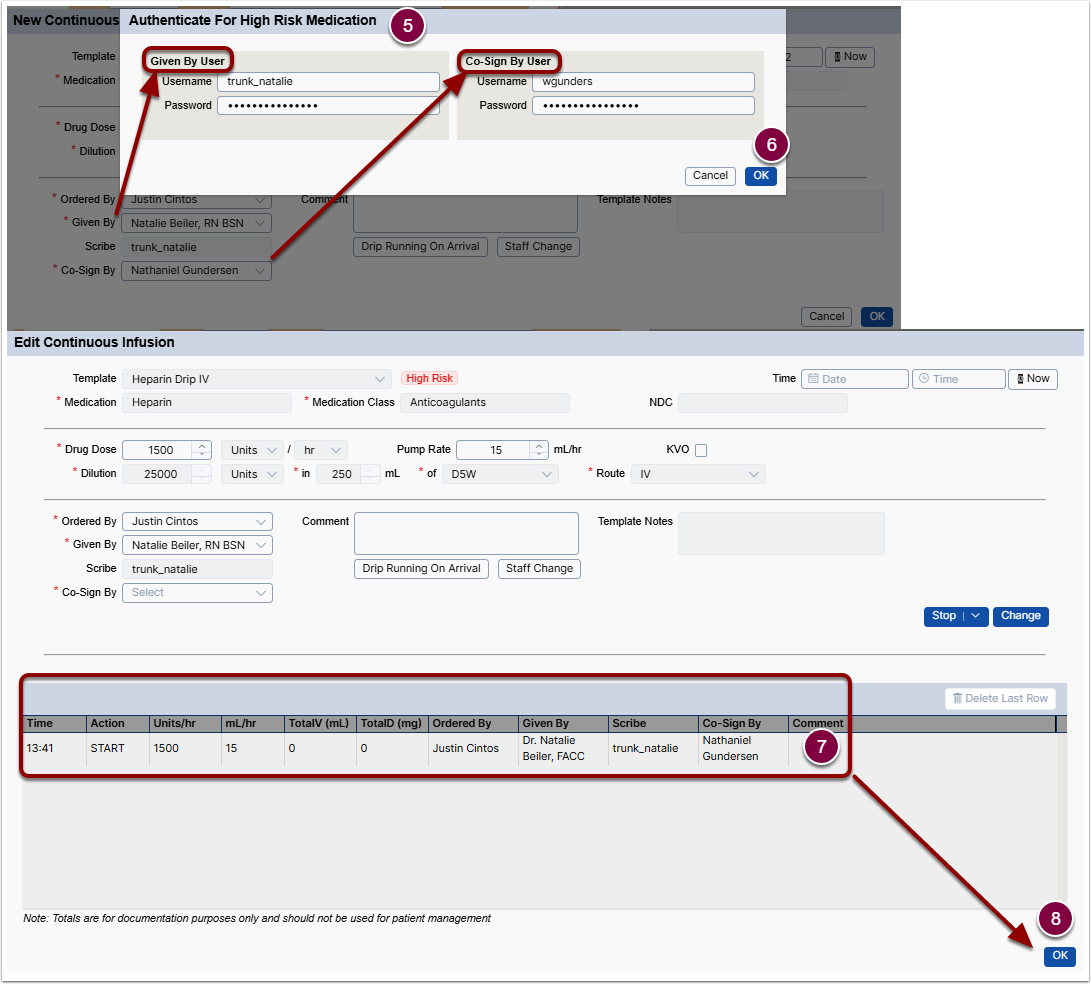
- Both users enter username and password in the Authenticate For High Risk Medication popup.
- Click OK to complete authentication.
- Confirm medication is documented.
- Click OK to close the medication window.
Document Staff Change for High-Risk Medication
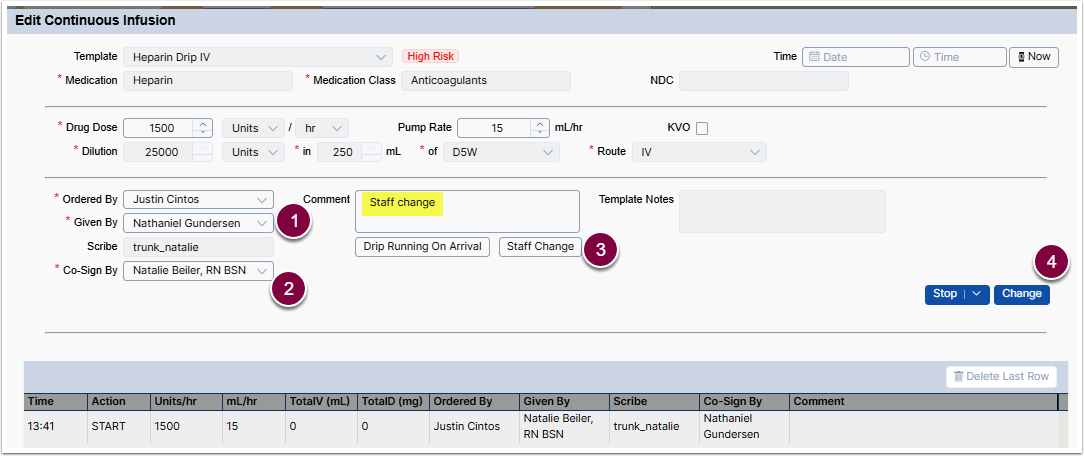
Changing the Given By user is a transfer event and requires cosigning for high-risk medications.
- Update Given By to the new primary nurse.
- Update Co-Sign By to the nurse handing off the role.
- Click Staff Change below the Comment box.
- Staff change is logged in the procedure log and study chronicle.
- Click Change.
- Follow steps 5-8 in the Cosign High-Risk Medication section.