What you will accomplish: You will sign a report as a different user without logging out.
- Go to the Report tab.
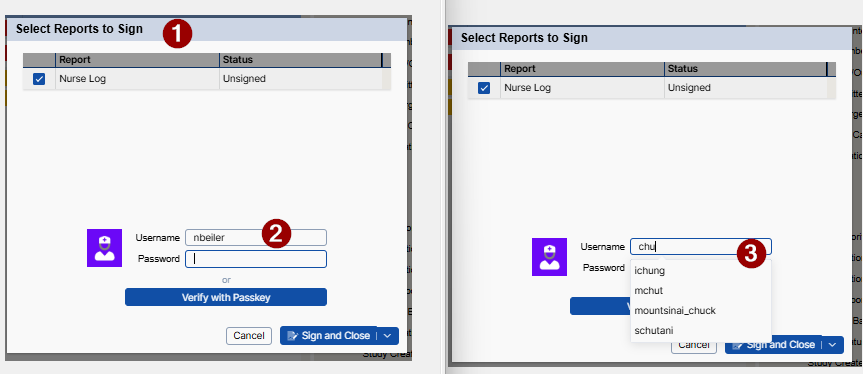
- Click Sign or Sign All to open the Select Reports to Sign window (1).
- Click in the username box (2).
- Begin typing a username in the username box (3).
- Note that you may need to clear the logged in username.
- Select the correct user from the drop-down list.
- Enter their password.
- Sign the report.
The report is signed as the selected user. The original user remains logged in.