Key Terms
EncaptureMD organizes inventory using several key concepts:
- Manufacturer: The company that produces the item (e.g., Ford).
- Model: The specific product line or type (e.g., Mustang).
- Item: The individual, physical product on hand (e.g., a specific Ford Mustang).
- Class: The broader category to which the item belongs (e.g., sports car).
- Each inventory item is associated with a manufacturer, model, and class.
- This structure helps organize and track inventory efficiently.
Item Identification and Tracking
Each item in inventory is uniquely identified and tracked using serial or lot numbers, along with additional parameters:
- Serial Number: Used for items that require long-term tracking, such as medical devices, leads, or stents. For example, a specific Ford Mustang would have its own serial number.
- Lot Number: Used for commodity items produced in batches, such as tongue depressors. The lot number identifies the batch in which the item was manufactured.
- Additional Parameters: Items and models may also include cost, charge codes, PAR (Periodic Automatic Replenishment) levels, reorder levels, manufacturing dates, and expiration dates.
- Serial numbers are critical for tracking individual models particularly implanted devices over time.
- Lot numbers help identify and manage batches of similar items.
- Additional parameters support inventory control and regulatory compliance.
Why Inventory Organization Matters
Proper organization and tracking of inventory in EncaptureMD ensures that medical facilities can:
- Maintain accurate records of all items used in patient care.
- Comply with safety and regulatory requirements for medical devices and supplies.
- Optimize stock levels to prevent shortages or overstocking.
- Effective inventory management supports patient safety and operational efficiency.
- Tracking parameters like expiration dates helps prevent the use of outdated supplies.
Logic/Overview
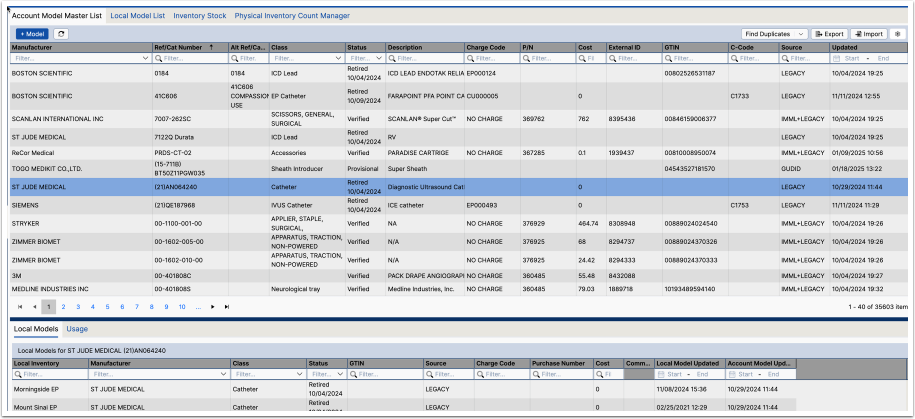
EncaptureMD prefers to integrate with a customer's Item Model Master List (IMML). An IMML is a comprehensive record containing all key details about each individual item within a hospital's stock, including its description, cost, current stock levels, supplier information, size, weight, and any other relevant attributes, essentially serving as the central data source for managing inventory effectively. We can use the IMML as a gold-standard, greatly simplifying overall model management.
We also have an integration with the National Library of Medicine/FDA's Global Unique Device Identification Database (GUDID). Pronounced "Good ID", it is a database administered by the FDA as part of the UDI system.
The GUDID contains device identification information submitted by device companies to the FDA. The GUDID contains ONLY theDevice Identifier (DI), which serves as the primary key to obtain information in the database.Production Identifiers (PI)are not submitted to or stored in the GUDID, but GUDID data indicates which PIs are on the device label.
Work flow
(Describe standard work flow using EncaptureMD inventory)
Basic Layout
- Click the Inventory button on the landing page
- The Local Model List is the default tab. It contains...
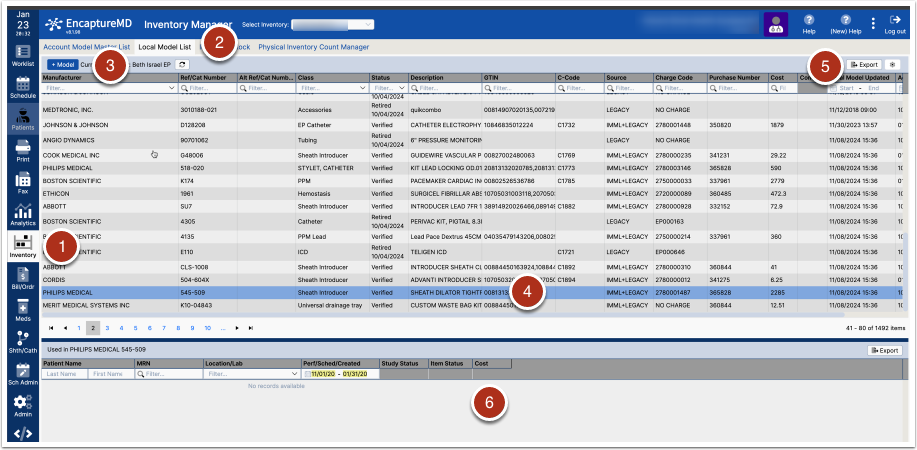
Managing an Inventory Model
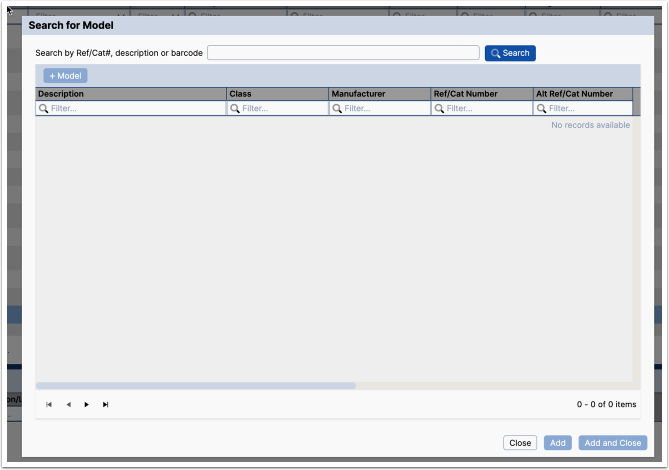
Search before adding
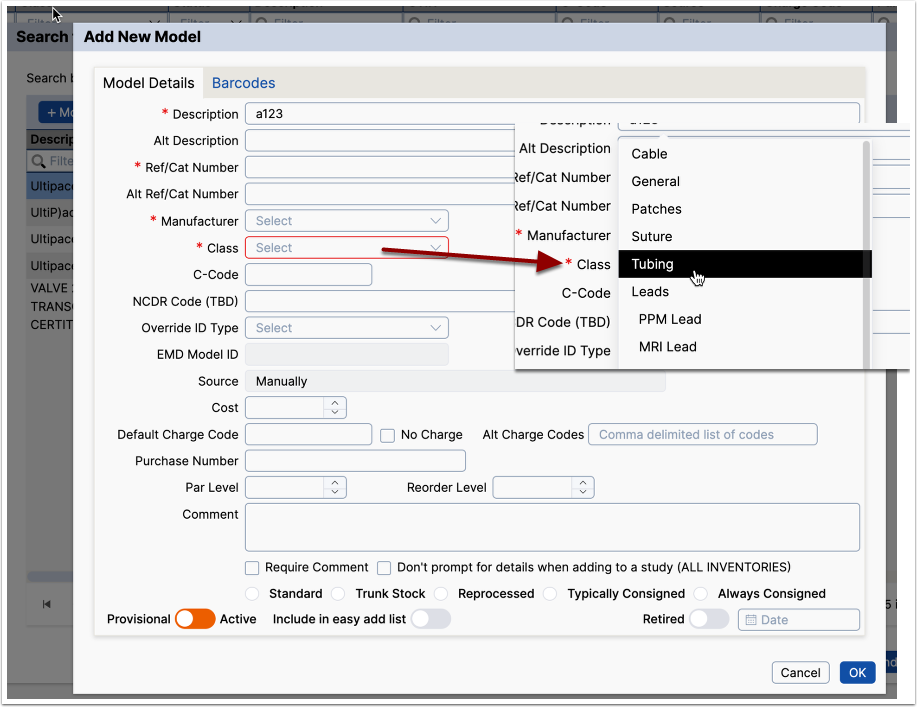
To prevent duplicates, search by Ref/Cat number, description or barcode. If the search does not yield the correct result, click the +Model button.
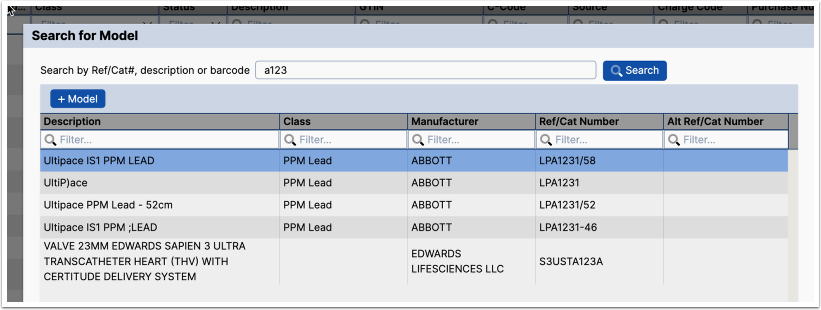
Adding a new model
A model can be described with the following fields
- Description - provided by the manufacturer and is either part of the Item Model Master List, downloaded from GudID or embedded in the barcode. It is required and can be edited but should not be if it is defined elsewhere.
- Alt description -
- Ref/Cat Number - reference/catalog number is assigned by the manufacturer
Account Model Master List
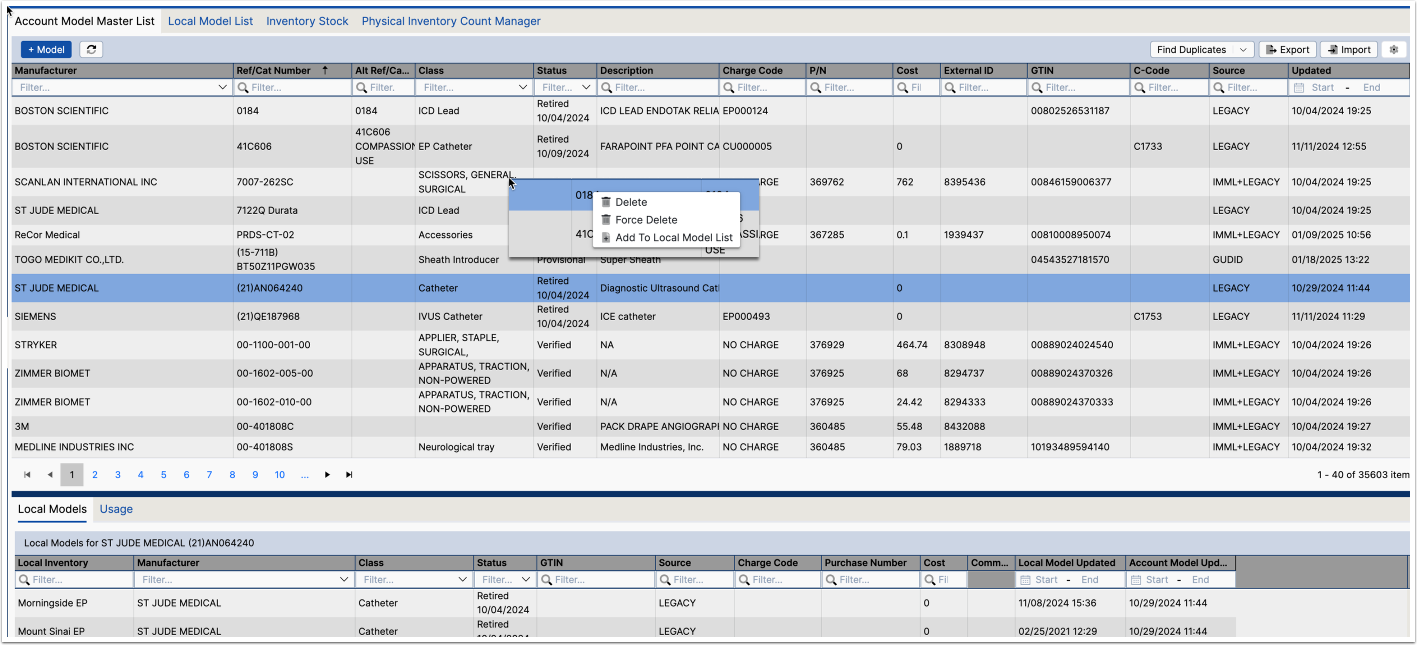
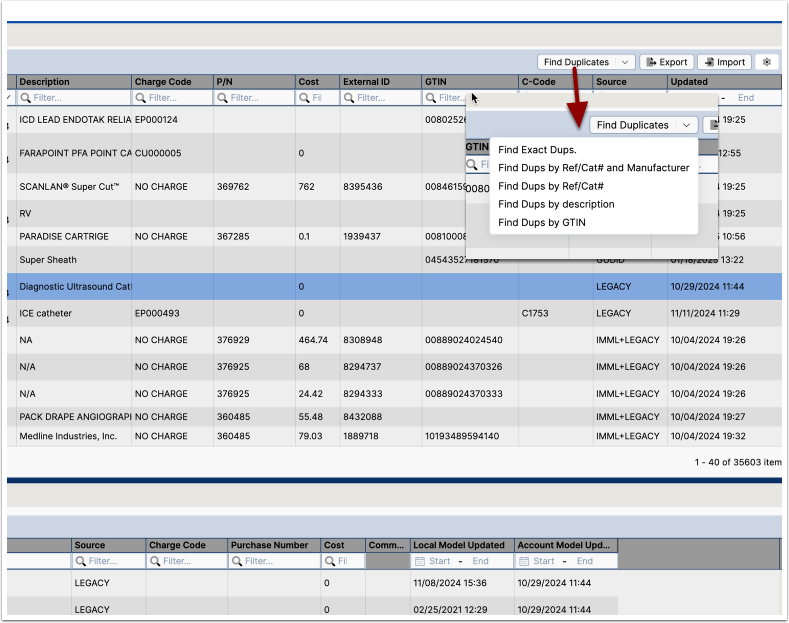
Eliminating Duplicates
Inventory Stock
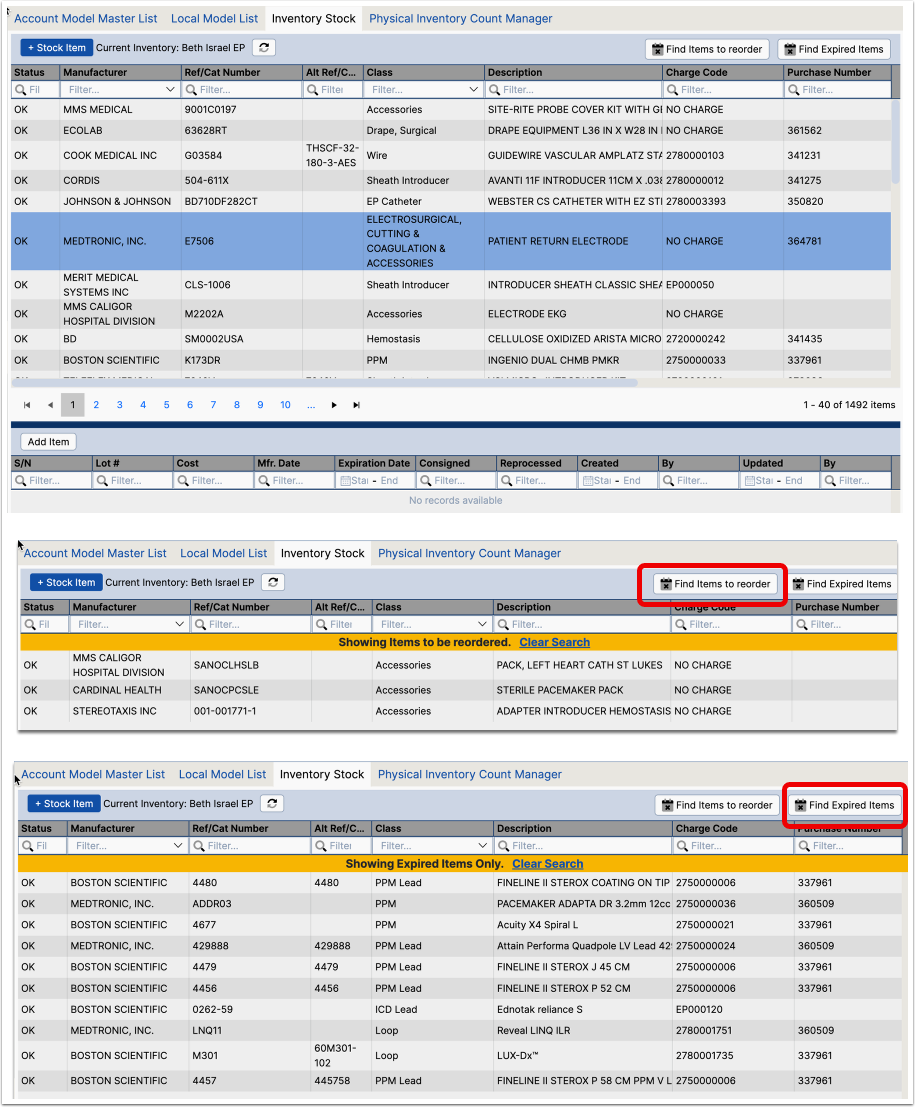
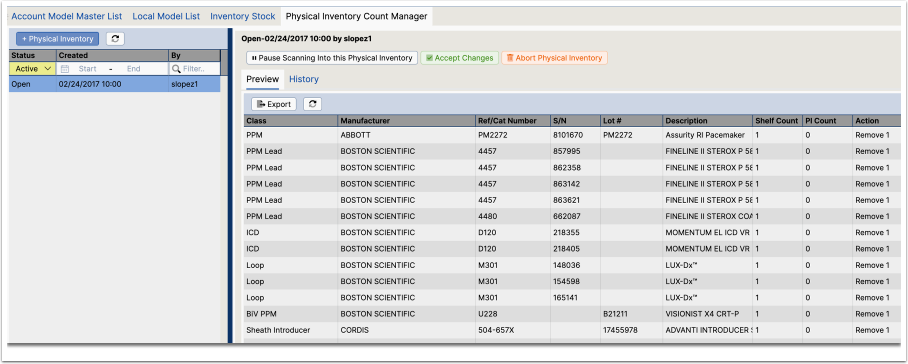
Physical Inventory