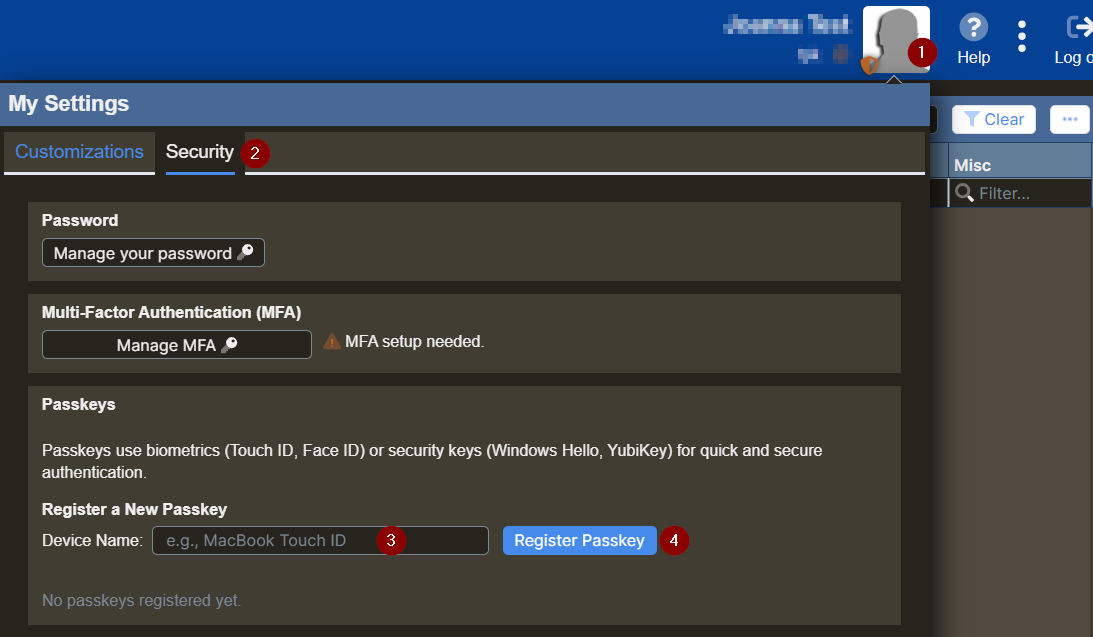
- Click on your user icon.
- Select the Security tab.
- Enter the device name in the Device Name textbox.
- Select Register Passkey.
- Select where to register your passkey. A few options:
- Google Authenticator
- Bitwarden
- Windows Hello
- Follow your authenticator's steps to create and save the passkey.
- You can now sign in using your passkey instead of your username and password.