Sharing Overview
Quick library content you create can be shared to a user or a group.
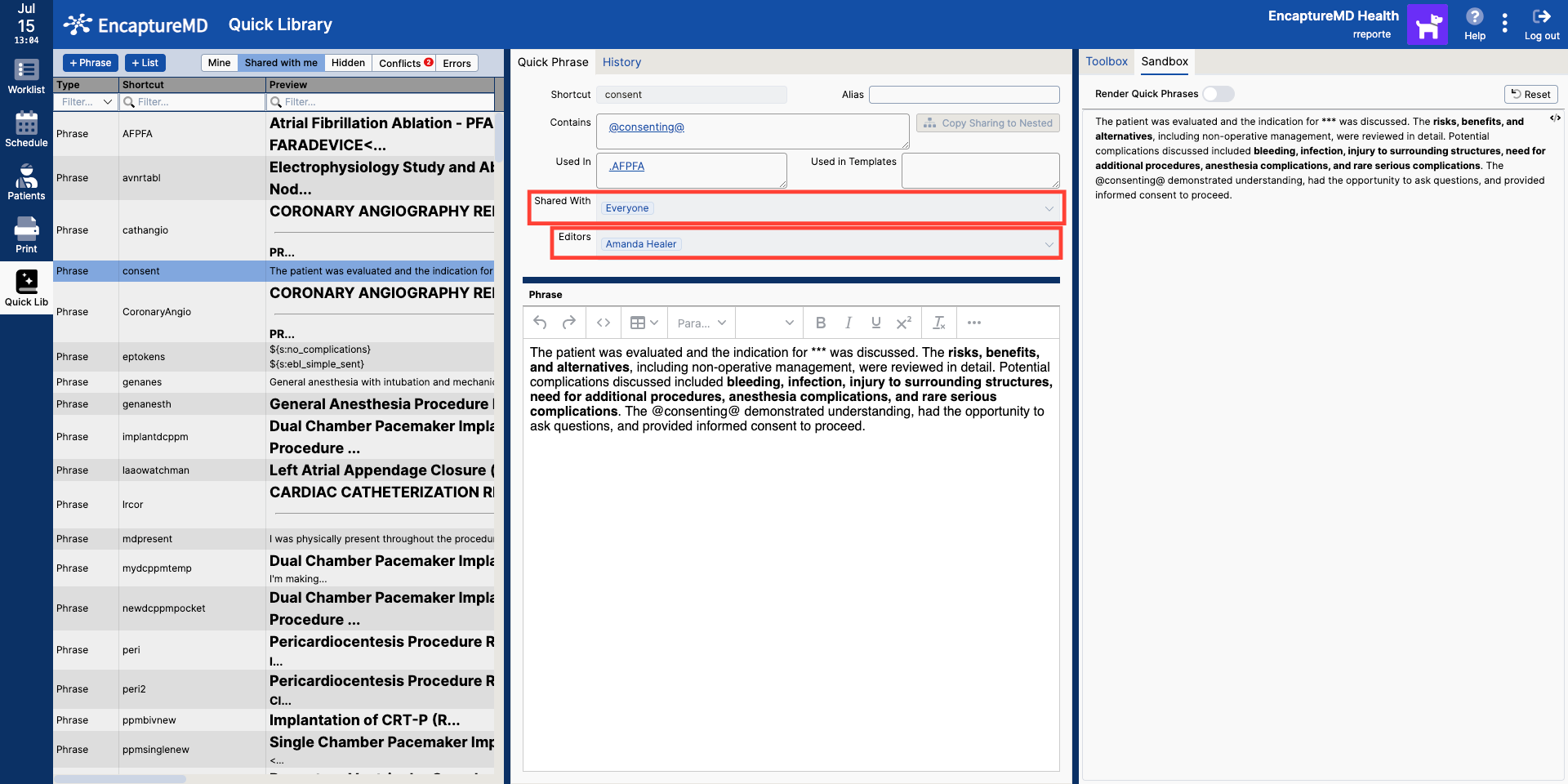
Roles and Permissions
There are two main levels of sharing permissions:
- Shared with: Can only view and use the content.
- Editor: Can view, use, edit, and share the content.
Permissions can be managed by the content owner, editors, or Quick Library Admins. Users can also opt out of content shared with them by hiding it, and can later unhide it if needed.
- Editors have full control over shared content.
- Users can manage visibility of shared content for themselves.
- Admins can assign or change permissions as needed.
Content Relationships and Visibility
Quick phrases and lists can contain or reference other quick content (embedded elements). Users can see which elements are embedded within a phrase or list, and where a phrase or list is being used. These relationships are displayed as links, allowing users and editors to navigate between related content.
- Embedded content is not automatically shared when parent content is shared.
- Click 'Copy Sharing to Nested' to share embedded content
- Editor permissions for embedded content must be assigned separately if needed.
Conflict Resolution and Content Management
If shared content has the same name as a user's existing content, the user's content takes precedence. Duplicate entries are shown in the conflicts filter. This approach minimizes accidental overwrites and allows users to maintain personal customizations.
- User-created content always overrides shared content with the same name.
- Conflicts are rare but are surfaced for resolution.
- This ensures users retain control over their personalized content.